A transcript you can read at a glance
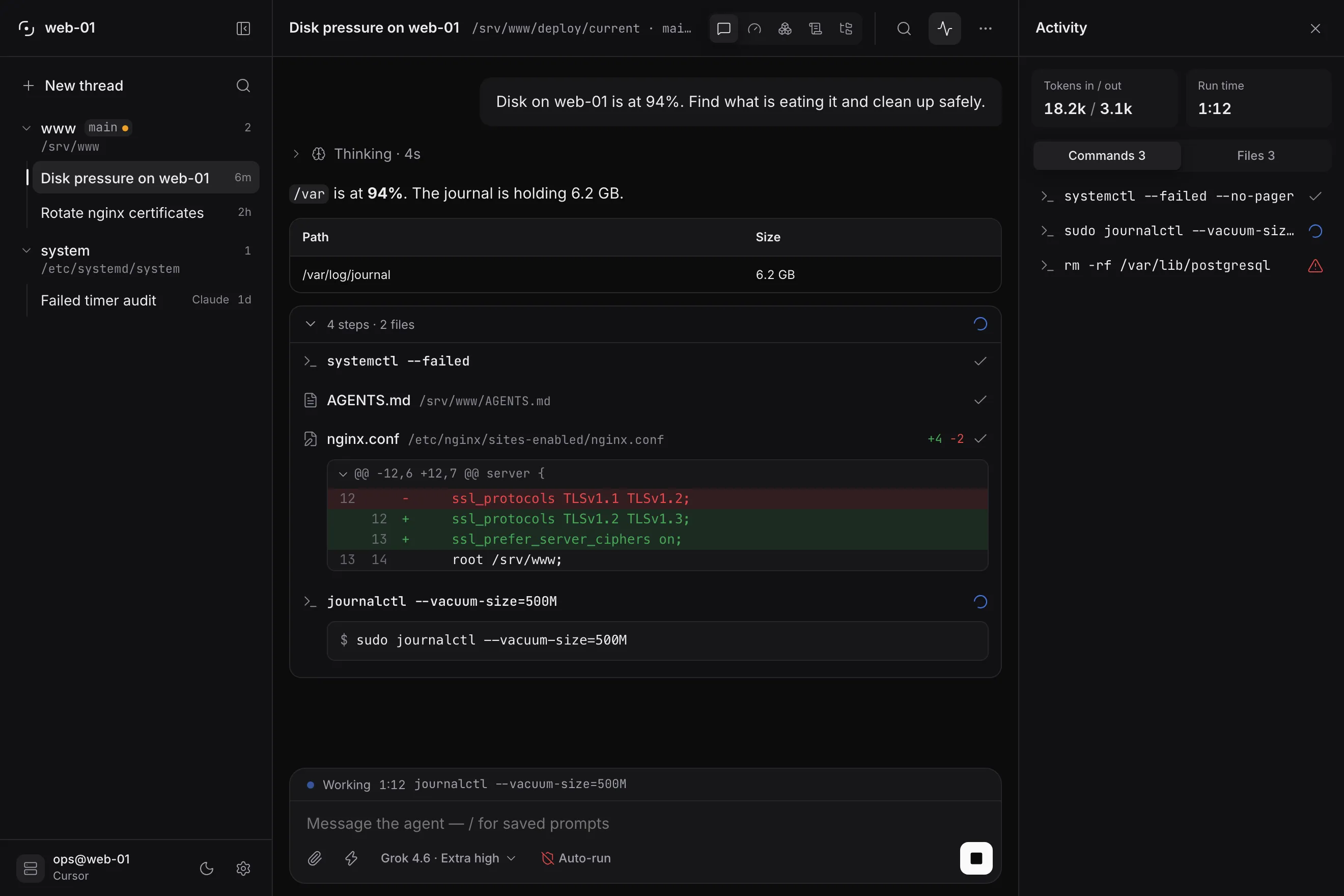
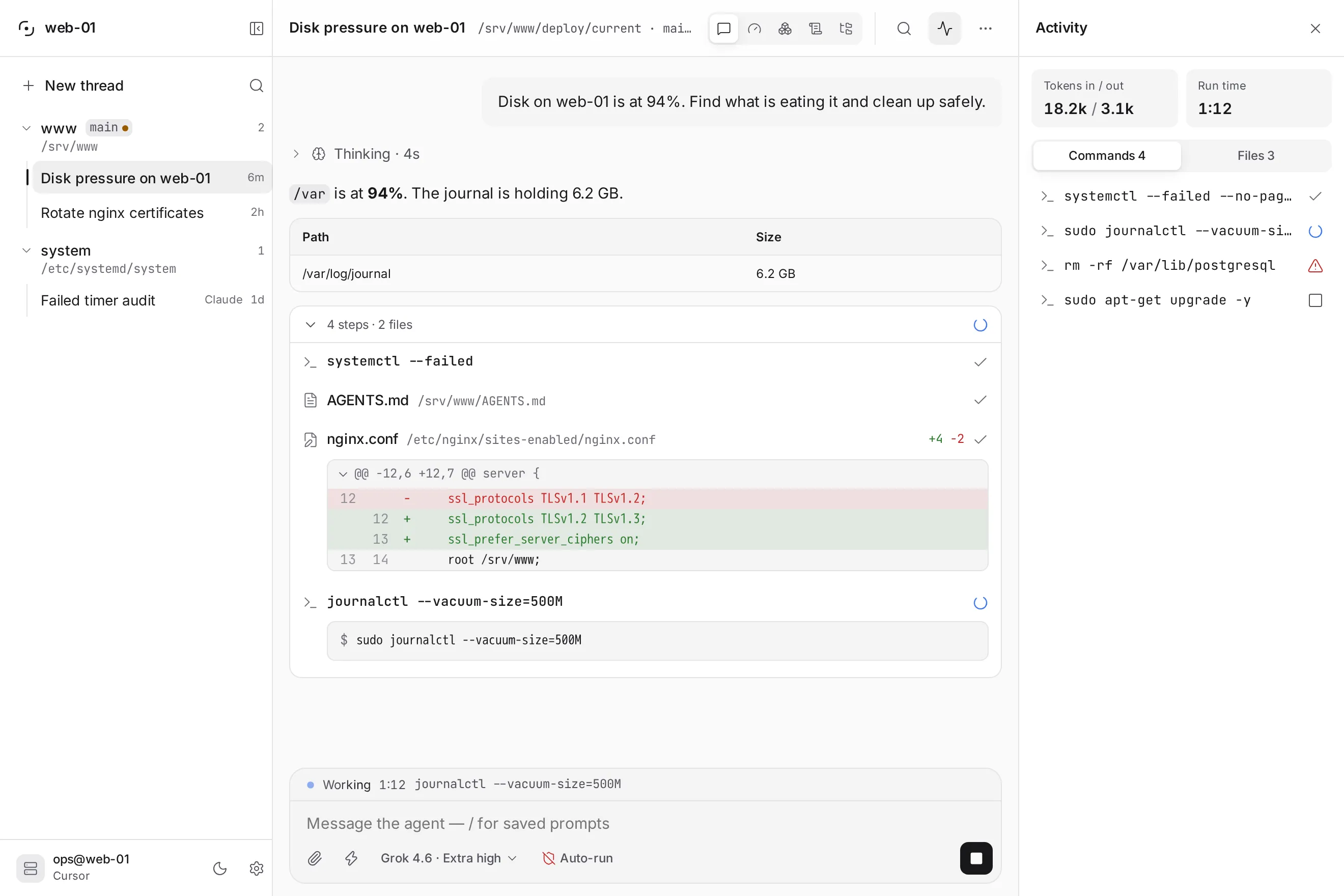
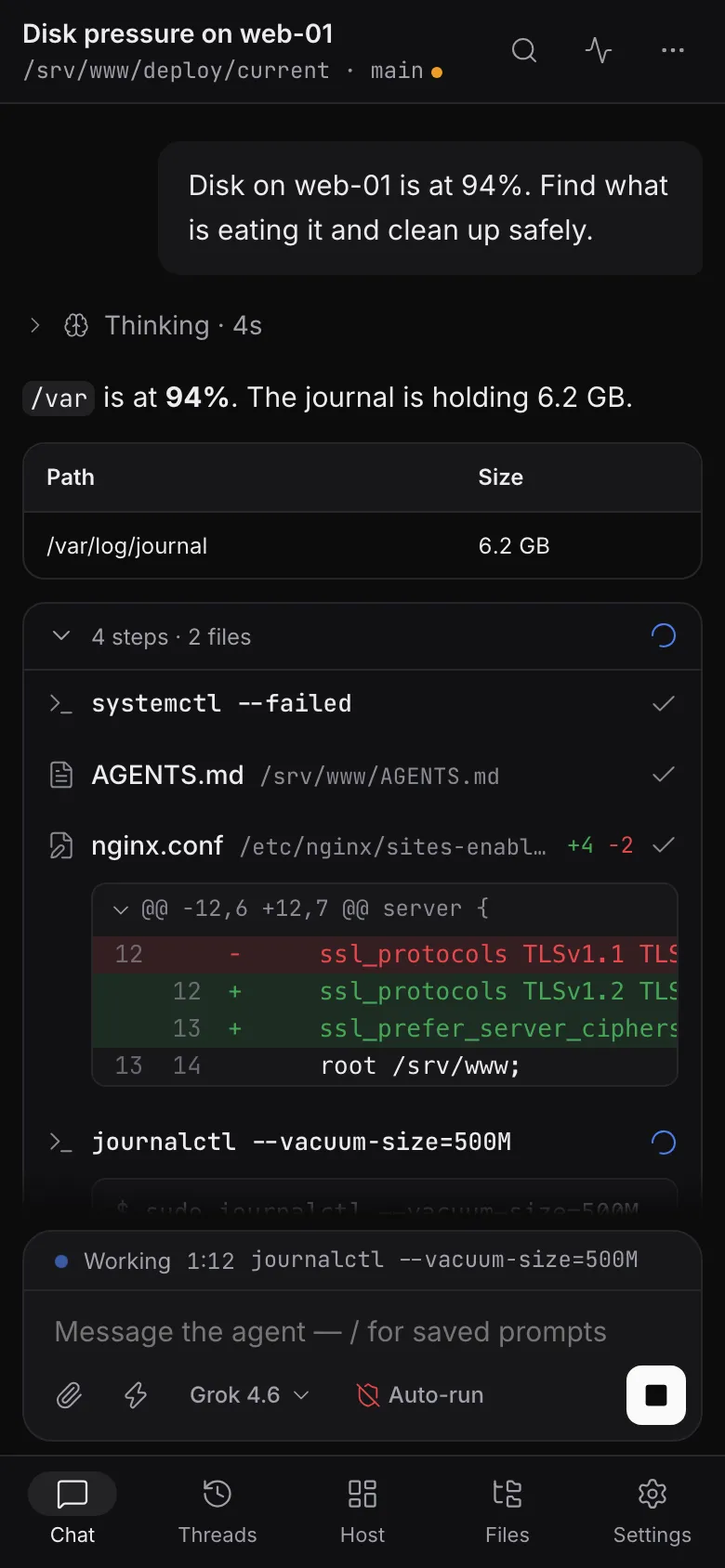
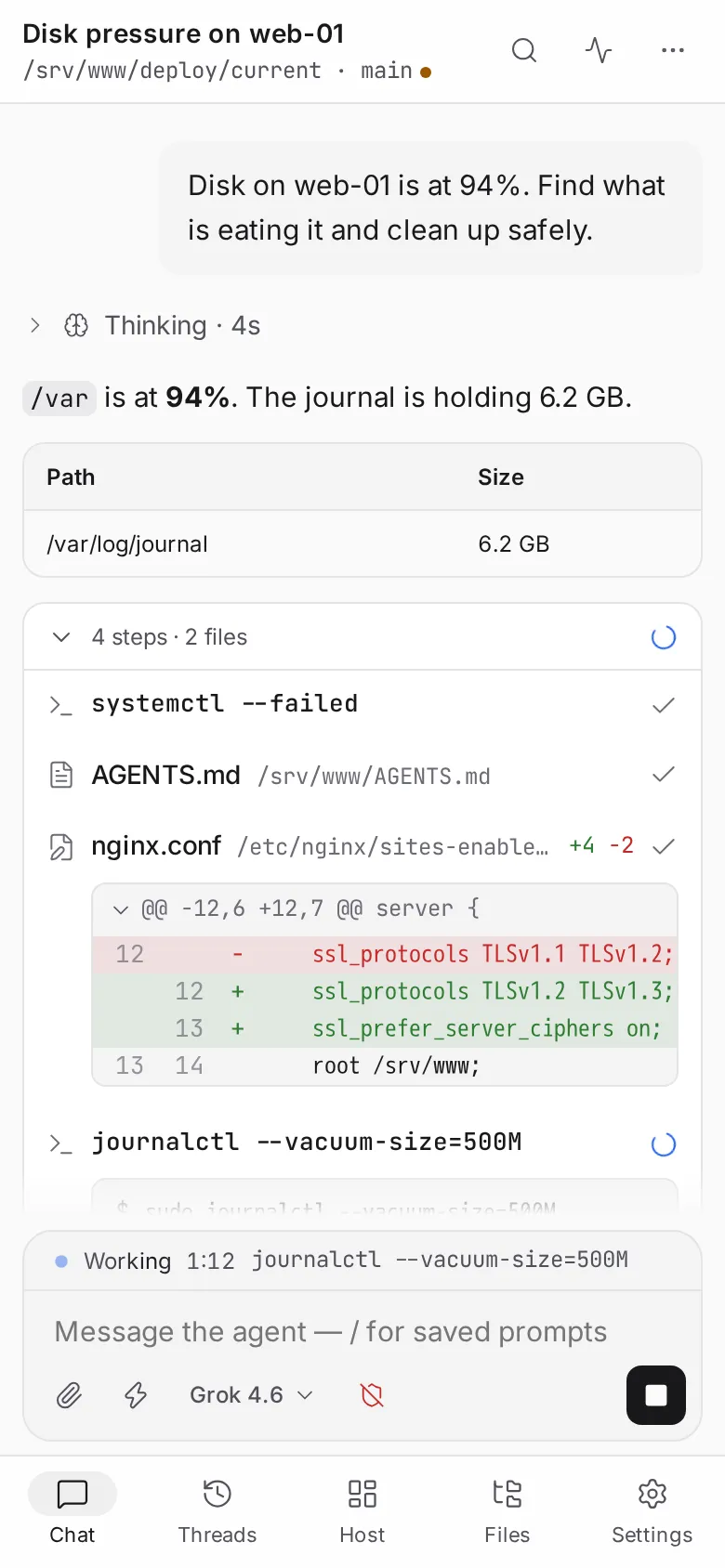
Thinking first, then the run. Consecutive tool calls fold into one band — “6 steps · 3 files +4 −2” — shell calls render as a terminal block, diffs get a sign channel, and text paints from the first token.
Self-hosted · Open source · v0.x
Glassys puts a persistent chat in front of the coding agent that already runs on your host — Cursor, Claude Code, OpenCode, Codex or any ACP agent. Check services, read logs, free a disk, review the diff: from your phone or any browser.
Free and open source · Apache-2.0 · Linux and macOS
Through each vendor’s local SDK or ACP — never print-mode, so the thinking stays visible.
How it works
Your agent keeps running on the host, with its own sign-in and its own tools. Glassys sits beside it: a Node gateway that speaks its SDK, turns the stream into a stable UI protocol and serves an app you can open anywhere.
Cursor, Claude Code, OpenCode, Codex or an ACP agent, working in a real git workspace with the host’s git, files and services.
A Node user service on 127.0.0.1. It talks to the agent’s SDK, queues runs one at a time, keeps the transcripts and serves the app.
An installable PWA for the desktop and the phone. Close the terminal, lock the laptop: the run goes on and the thread is where you left it.
Open WebUI is to Ollama what Glassys is to your coding agent — the UI, not the runtime.
Features
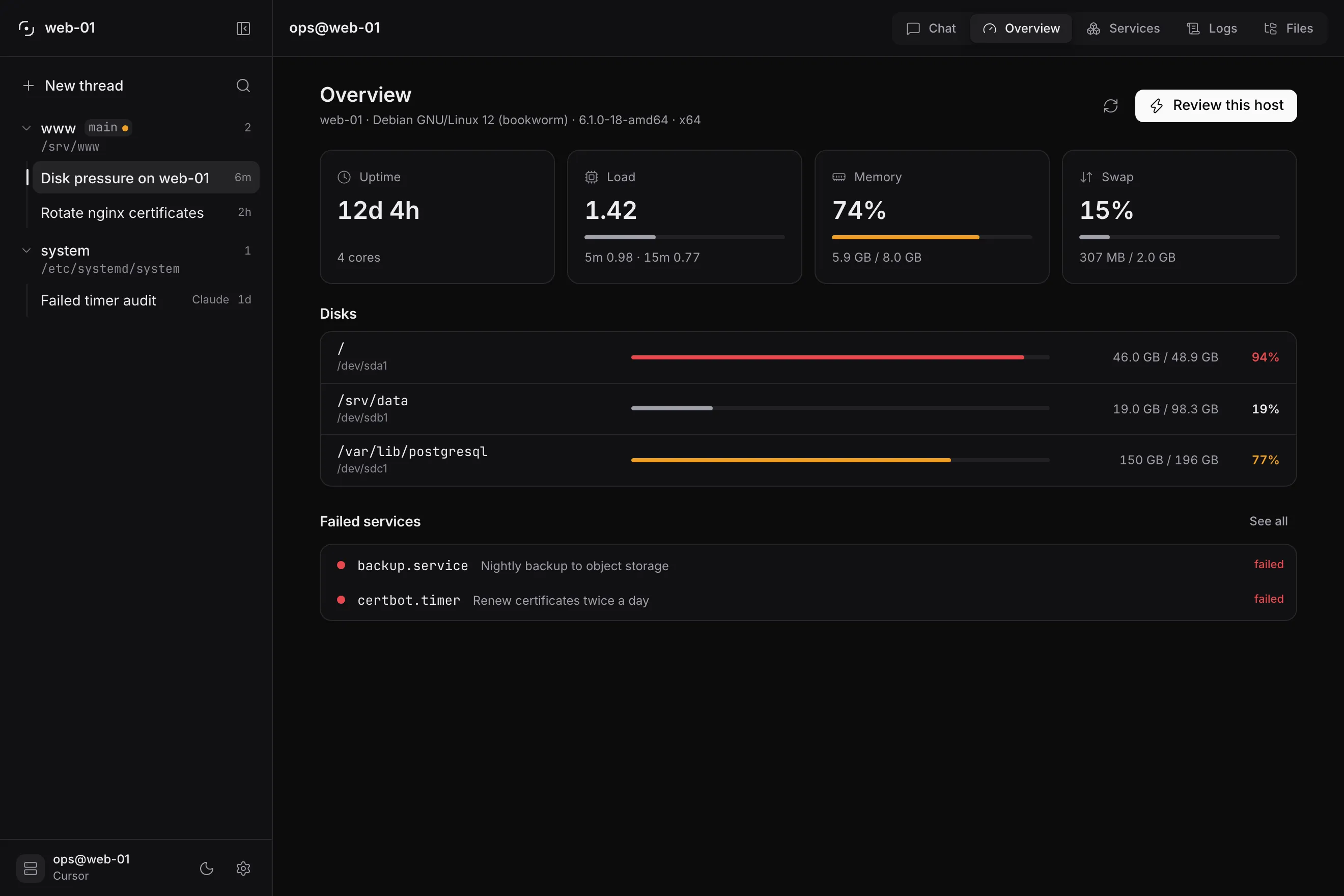
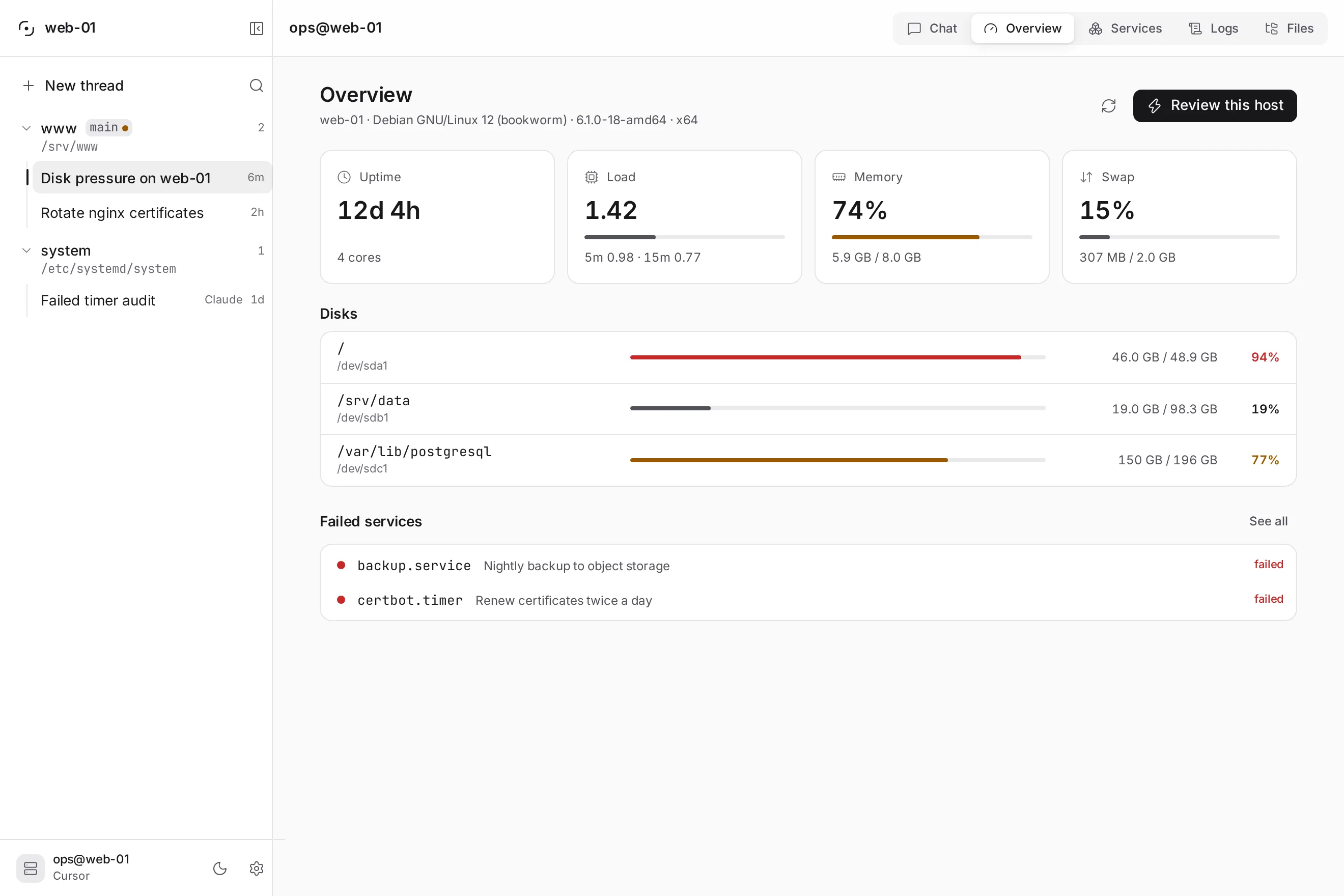
Built for operating a machine, not for pairing on application code: the transcript shows what the agent did to the host, and the host views show the host.
Thinking first, then the run. Consecutive tool calls fold into one band — “6 steps · 3 files +4 −2” — shell calls render as a terminal block, diffs get a sign channel, and text paints from the first token.
Overview, Services, Logs and Files beside the chat. They only read: Diagnose, Restart or Ask the agent draft a prompt, and the agent does the work.
⌘I lists every command the thread ran and how it ended, and every file it read or rewrote. Click a row to jump straight to that call.
⌘K for threads, workspaces, restart, upgrade and your saved prompts. Type / in the composer for your slash templates.
Cron or one-shot prompts, queued when the gateway is idle — and a Web Push notification when a run is done.
A persistent workspace rail on wide screens, a bottom tab bar on the phone. Dark, light or system; English and Spanish.
Attach, saved prompts, model and permission chips in one card. Stop takes send’s place mid-run, and a message the gateway did not confirm goes back into the box.
The interface
Security
Glassys with auto-run and a host workspace is operator access to that machine. The defaults assume exactly that.
Read the security modelThe gateway binds to localhost. When you want a public URL, put Caddy or Cloudflare Tunnel in front of it.
A password of its own, even behind Cloudflare Access. Setup from another device asks for the one-time code the installer prints.
Secrets and sessions live in Glassys’s data directory, which the Files view never browses. Settings warns if your workspace sits inside it.
Both are visible in Settings. With auto-run off, Cursor’s Auto-review and ACP deny risky calls instead of running them.
Install
Run it on the machine the agent should operate. It installs a user service — launchd on macOS, systemd --user on Linux — so closing the terminal does not stop Glassys.
$ curl -fsSL https://raw.githubusercontent.com/KN990x/Glassys/main/scripts/install.sh | bashhttp://127.0.0.1:8787FAQ
No. It does not infer and has no personality. Your coding agent does the work; Glassys is the chat in front of it — it shows the thinking, the tool calls and the diffs, and keeps the thread.
No. Glassys is self-hosted: every operator runs their own instance on their own machine. There is no Glassys account and no SaaS.
Cursor (through @cursor/sdk), Claude Code (Claude Agent SDK), OpenCode, Codex and any agent in the ACP registry — Gemini included, through gemini --acp. The vendor’s CLI can stay installed; Glassys signs in through the SDK.
Yes. The app is one surface at two sizes. Put Caddy or Cloudflare Tunnel in front of the gateway, open it on the phone and install it. Web Push needs HTTPS, and iOS only delivers push to an installed app.
Not today. Glassys runs as a user service on Linux (systemd) and macOS (launchd), because the agent needs the real workspace, the host’s git and your files. Windows is not a supported target yet.
Nowhere new. Transcripts, settings and secrets stay in Glassys’s data directory on your host. Glassys only calls Cloudflare if you turn Access on, and Web Push goes through your browser’s push service if you enable it. Your agent talks to its provider as it always did.
Yes. Glassys is open source under the Apache-2.0 licence. I build it in the open; if it saves you time, you can buy me a coffee.
Install Glassys on the machine your agent already runs on, and pick the thread up from anywhere.